
Download PDF Reader for Windows 7 – PDF Reader, PDF Viewer, PDF Tools, PDF Editing, PDF Conversion, PDF Viewer for Windows 7
Overview
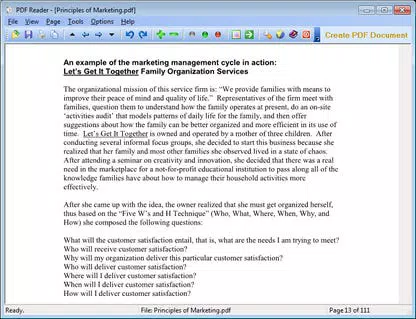
PDF Reader for Windows 7 is a dedicated utility designed to provide users with a reliable and efficient way to manage PDF files on older Windows 7 systems. As a lightweight, free application, it serves as a full-featured PDF viewer capable of opening, reading, reviewing, and printing Adobe PDF documents. The software also extends functionality by allowing users to convert PDFs into multiple formats, including TXT, BMP, JPG, GIF, PNG, TIFF, WMF, EMF, and EPS. This makes it a valuable tool for individuals who rely on Windows 7 for daily productivity tasks and need consistent access to PDF content.
The app is specifically tailored for Microsoft Windows 7, supporting both 32-bit and 64-bit architectures. It is ideal for users who depend on legacy systems and require a stable, no-frills PDF solution without the need for modern operating system upgrades. Common use cases include reviewing academic papers, accessing legal documents, managing work reports, and extracting content for reuse. For many professionals and students still using Windows 7, this tool fills a critical gap in their digital workflow.
Although the developer did not provide additional background information, the app’s focus on compatibility, speed, and core functionality suggests a targeted development approach. Its presence in the productivity ecosystem underscores the ongoing need for accessible tools on older platforms. The software’s ability to integrate seamlessly as a default PDF viewer enhances user convenience and system-wide accessibility.
Key Features & Functionality
- Fast and Efficient PDF Viewing: The application loads PDF files rapidly, ensuring minimal delay when accessing documents. This is particularly beneficial for users working with large or complex files on older hardware.
- Zooming and Page Rotation: Users can adjust the zoom level to view fine details or fit entire pages on screen. Page rotation allows documents to be viewed in portrait, landscape, or any preferred orientation, improving readability.
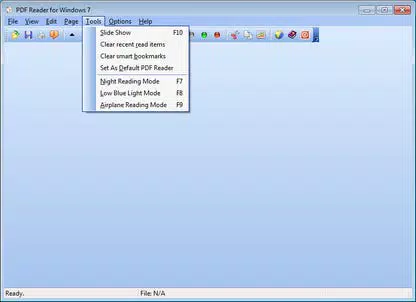
- PDF Slideshow Feature: This functionality enables users to present PDFs in a sequential, slide-like format, ideal for reviewing multi-page documents or visual content such as technical diagrams or photo albums.
- Copy Text and Graphics: The ability to copy text and images directly from PDFs supports content reuse, research, and documentation workflows without requiring third-party extraction tools.
- File Association and Compatibility: PDF Reader for Windows 7 can be set as the default handler for PDF files, streamlining access and ensuring consistent behavior across the system.
- Multi-Format Conversion: The tool supports exporting PDFs to a wide range of formats, expanding usability for users who need to repurpose content across different platforms or applications.
These features collectively address common challenges faced by Windows 7 users, such as limited access to modern PDF tools and the need for offline document management. Real-world applications include educators preparing classroom materials, researchers compiling references, and administrative staff processing forms and reports.
Interface, UX & Performance
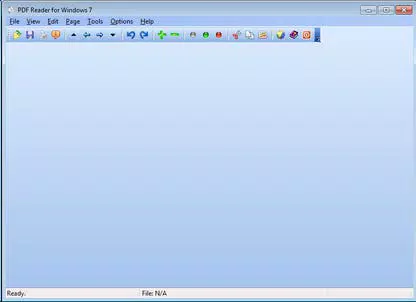
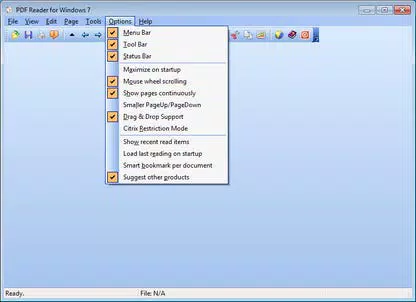
The interface of PDF Reader for Windows 7 is designed with simplicity and usability in mind. It features a clean layout with essential controls clearly laid out, minimizing the learning curve for new users. Navigation is intuitive, with tools for zooming, rotating pages, and moving between documents available through a streamlined toolbar or keyboard shortcuts.
Although the developer did not list formal performance metrics, the app’s lightweight nature—only 2.8 MB in size—suggests optimized resource usage. This ensures stable operation even on systems with limited RAM or older processors. The software maintains responsiveness during file loading and interaction, contributing to a smooth user experience.
Performance across different device categories is not formally documented. However, given its compatibility with both 32-bit and 64-bit versions of Windows 7, it is likely to function reliably on a wide range of legacy hardware. Stability appears to be a priority, as the app does not require additional runtime dependencies or system updates to operate.
Platform Compatibility & Technical Requirements
PDF Reader for Windows 7 is exclusively designed for Microsoft Windows 7, supporting both 32-bit and 64-bit editions. The software has a file size of 2.8 MB, making it easy to download and install on systems with limited storage capacity.
Specific requirements were not listed. The developer did not specify minimum OS versions beyond Windows 7 or provide details on RAM, processor, or disk space needs. Compatibility information was not fully disclosed, so users should ensure their system meets general Windows 7 standards before installation.
Pros and Cons
Pros
- Lightweight design with minimal system resource usage
- Free to download and use with no hidden costs
- Fast loading and smooth navigation for PDF files
- Supports multiple output formats for PDF conversion
- Intuitive interface suitable for non-technical users
- Can be set as the default PDF viewer on the system
Cons
- Not compatible with operating systems newer than Windows 7
- Developer did not provide detailed technical specifications
- Limited to a single platform, restricting broader accessibility
- No mention of cloud integration or sync features
- Functionality may not include advanced editing tools like form filling or digital signatures
FAQ
Is PDF Reader for Windows 7 safe to download and install?
Yes, the app is free and designed specifically for Windows 7. It does not require third-party dependencies and operates without known security risks. However, users should only download from official or trusted sources to ensure authenticity.
Can I use this app on Windows 10 or Windows 11?
No, the software is certified only for Windows 7. It is not compatible with newer versions of Windows, including Windows 10 and Windows 11.
Does the app support editing PDF forms?
Specific editing capabilities were not listed. While the app allows copying text and graphics, advanced form editing features like filling out or modifying interactive fields were not confirmed.
How do I set PDF Reader for Windows 7 as my default PDF viewer?
After installation, users can right-click a PDF file, select “Open with,” and choose PDF Reader for Windows 7. The option to set it as the default can be enabled from the application’s settings or system file associations.
Are updates available for this app?
The developer did not provide information about update frequency or future releases. Users should check the official source periodically for potential improvements or security patches.
Final Thoughts
PDF Reader for Windows 7 delivers a focused, reliable solution for users still relying on legacy systems. Its lightweight design, fast performance, and core functionality make it a practical choice for reading, reviewing, and converting PDFs without the need for modern software. While it lacks support for newer operating systems and advanced editing tools, it excels in its intended purpose: providing a stable, free PDF viewer for Windows 7 environments.
Professionals, students, and administrative users who depend on older machines will find this app particularly valuable. It bridges a gap in the productivity landscape by offering essential tools without demanding high system resources. For anyone needing a secure, straightforward way to manage PDFs on Windows 7, this utility stands out as a dependable option.
Download PDF Reader for Windows 7 now


